Registration, click, paid.
An enrolment comes in and parents want to pay. Card payments for courses are standard today. Parents expect to complete a course enrolment in a few minutes and pay immediately online or on their phone. On the way home from work, in the evening on the sofa.
Imagine the start of September. Open enrolments. Dozens of new sign-ups every day. And you just watch as payments are automatically matched. No more emails like "we transferred it yesterday, sorry…", no searching for payment references. Just a clear overview.
That's exactly why WEBOOKER includes integration with the Stripe payment gateway. So online payments for courses at your leisure or education centre aren't an extra task, but a natural part of the enrolment process.
Parents want to pay online. And you want to keep track
When parents fill out the enrolment form, they don't want to search for a bank account number or copy payment references. They want to click and be done.
Stripe enables fast online card payments, QR code payments and mobile payments. Supported methods include:
- Visa, Mastercard, Maestro, American Express
- other international cards
- Apple Pay and Google Pay
Payment is completed within seconds. Card details are not stored in WEBOOKER — they're processed directly by Stripe. Stripe is one of the most widely used payment providers in Europe and meets strict security and legal standards for online payments.
For parents, it's simple — and for you, it's the assurance that courses are paid on time and all payment information is clearly visible in your online system.
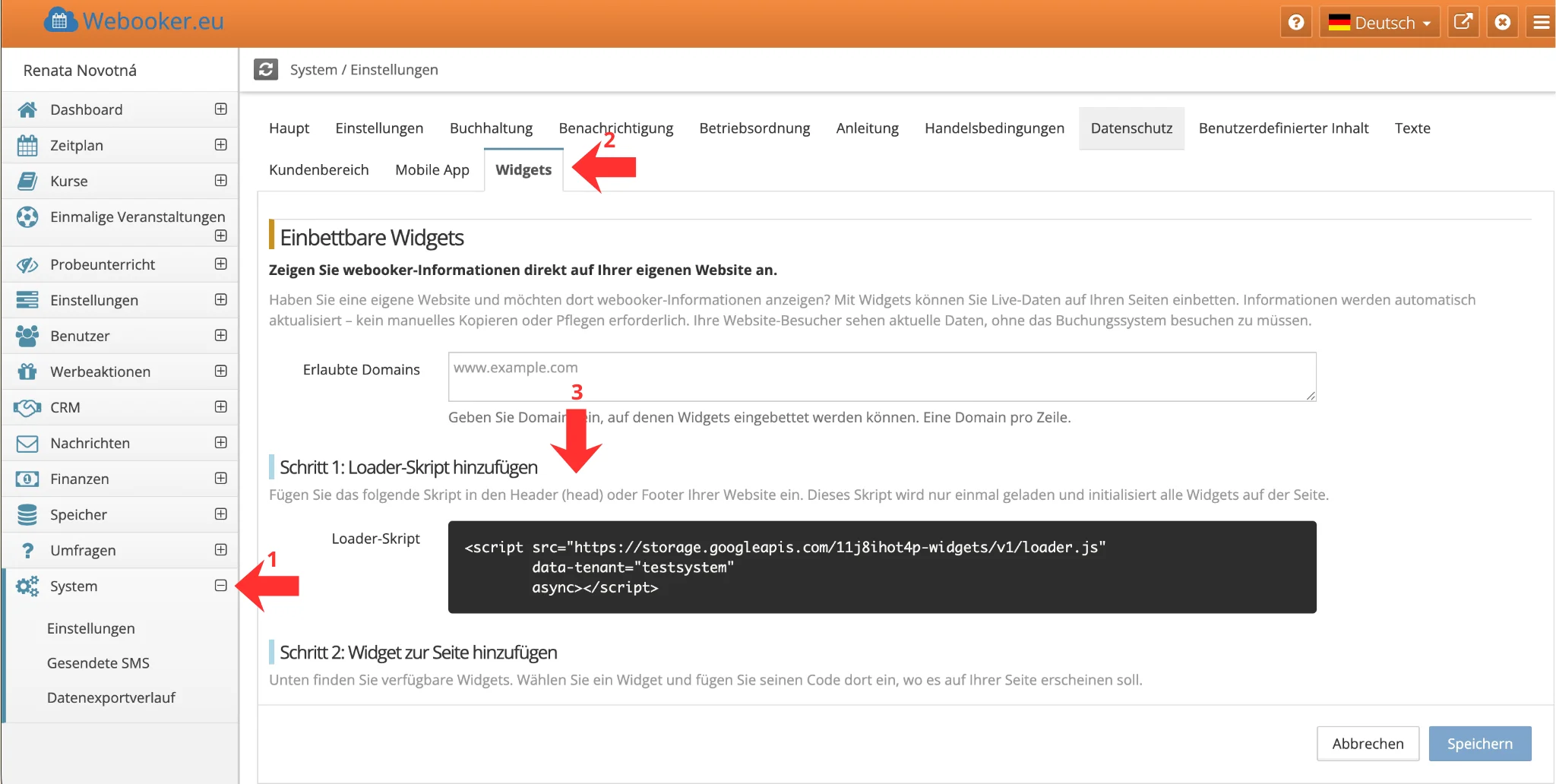
Easy setup: Connect Stripe and WEBOOKER without a developer
Creating a Stripe account takes just a few minutes. You only need your organisation details and a bank account for receiving payments.
In WEBOOKER, you then connect the account with just a few clicks — the system handles the rest. Online payments follow the invoice settings, so you don't need to activate them for each course or event individually. Once the connection is established, card payments work automatically for all offerings.
A step-by-step guide is available in our online help.
Don't worry: no programming, no complicated integration. Just a few clicks — and you're done.
Try the payment gateway in test mode first
Don't want to activate anything without checking first? You don't have to.
Stripe offers a test mode. You can run through the entire process — from enrolment to payment — without any real money being moved.
How do you accept online payments for courses? In WEBOOKER, online payments are activated automatically according to your invoice settings.
This way you can check at your leisure that everything works exactly as you need it. Only then do you switch to live mode. No unexpected surprises.
Automatic payment matching in the WEBOOKER system
If you've been creating and matching payments manually, you'll notice the difference immediately. Administrative effort drops — and with it, hours of work. At the same time, errors that inevitably occur with manual entry or payment matching are minimised.
If your bank is already connected, payment matching in WEBOOKER works automatically even without a payment gateway. The difference lies mainly on the parents' side and in the timing of payment.
With Stripe, payment happens directly during enrolment. Parents pay immediately and you see the payment right away. There's no gap between enrolment and payment in which clients might change their mind or forget to pay. You receive money faster and the enrolment is truly complete.
As soon as parents pay by card or QR code, WEBOOKER works for you:
- the enrolment is automatically marked as paid
- the payment is matched to the specific student and course
- the receivable is closed
- the system automatically creates a payment confirmation
- and sends it by email to the student
Stripe then transfers the funds to your account. You no longer need to check bank statements or search for who has paid and who hasn't. In the administration, you see everything immediately.
An average leisure or education centre saves up to 5 hours of administrative work per month thanks to these automation features.
Online payments as part of a professional centre
A leisure or education centre today isn't just about courses. It's a service. And that includes convenient registration and easy payment.
Connecting WEBOOKER with Stripe means:
- faster payment receipts
- less manual work
- fewer errors
- a better experience for parents
Online payments aren't just a technical feature. They're hours per month that you gain back. And the certainty that everything runs as it should.
If you're still matching payments manually or from another system, it might be time to take your course management one step further.
That's exactly what WEBOOKER is about: so administration doesn't overwhelm you. And so you're not sitting over bank statements every last Friday of the month.
Activate Stripe and connect it in the WEBOOKER administration using our step-by-step guide.